.jpg)
Manufacturing continues to shift toward automation, and companies that plan to gain a measurable advantage. Designing for robotic assembly is no longer optional for teams that want to scale efficiently and stay competitive. When engineering decisions support automation from the start, teams can future-proof now rather than react later with costly redesigns.
Many product teams continue to see automation as a later-stage decision. This mindset adds unnecessary complexity, delays production growth, and increases costs. By aligning design with robotic capabilities early in the process, you ensure a more seamless transition from concept to production.
The goal is to minimize obstacles, enhance scalability, and develop products that operate dependably in actual manufacturing settings.
Why Robotic Assembly Starts in Early Design
Robotic assembly does not begin on the production floor. It begins during early design decisions, where small choices shape long-term outcomes.
When teams delay automation considerations, they often create parts that robots struggle to handle. Tight access points, inconsistent geometries, and fragile features may work in manual assembly, but they create issues in automated systems. That mismatch leads to added tooling, slower cycle times, and increased risk.
Teams that plan earlier avoid these problems. They design parts that move cleanly through automated workflows, reducing iteration and accelerating production readiness.
Designing for Consistency and Repeatability
Robots depend on consistency. Unlike human operators, they cannot adapt on the fly when parts vary.
Strong designs prioritize uniform dimensions, clear reference features, and predictable positioning. Even minor inconsistencies can disrupt automated processes and create downstream issues.
Tolerance management also plays a critical role. Well-controlled tolerances ensure that each part behaves the same way during assembly. That consistency allows robotic systems to operate efficiently without constant recalibration or intervention.
Simplifying Geometry for Robotic Handling
Complexity creates friction in automation. While intricate designs may look refined, they often introduce unnecessary challenges during assembly.
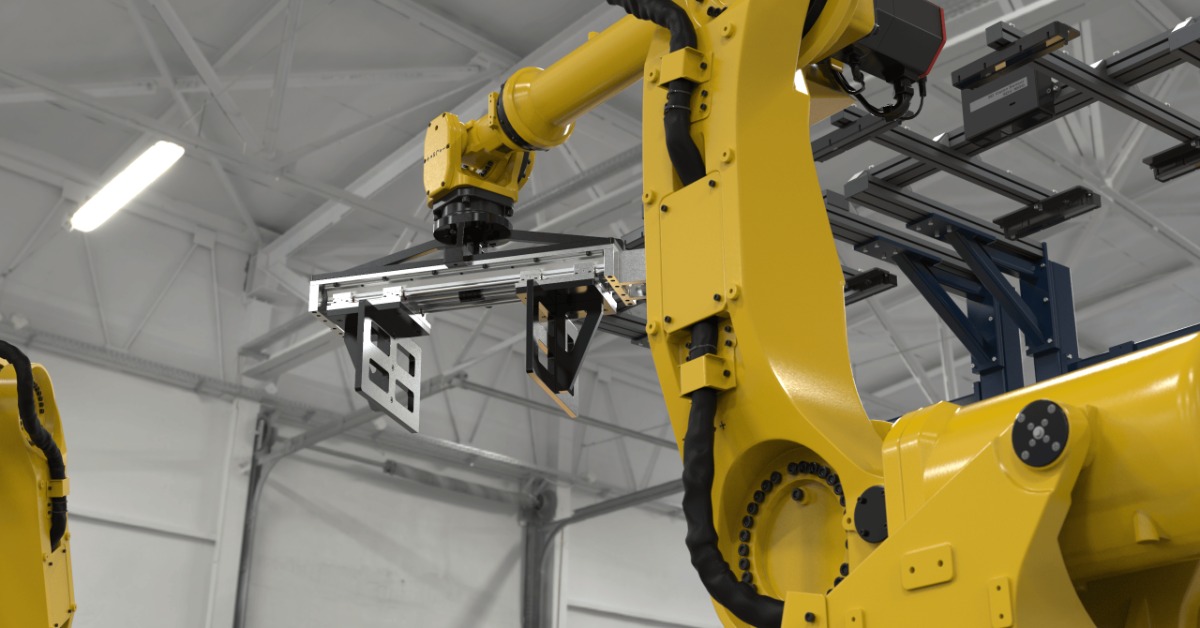
Robots need accessible features and stable surfaces to grip and position parts accurately. Flat surfaces, defined edges, and clear engagement points make handling more reliable. These features reduce the need for custom tooling and improve overall system efficiency.
Design teams should focus on functional simplicity. If a feature does not add measurable value, it likely adds risk during robotic interaction.
Optimizing Part Orientation and Feeding
Part orientation directly affects how efficiently a robotic system operates. Designs that require a single orientation often force additional complexity into feeding systems.
When parts allow for multiple orientations, feeding becomes simpler and more cost-effective. Symmetry, balanced weight distribution, and intuitive alignment features all contribute to smoother handling.
You also need to think about how parts move through the system. From bulk storage to final placement, each transition introduces potential variability. Designing with these transitions in mind reduces handling issues and improves throughput.
Reducing Part Count and Assembly Steps
Every additional part increases complexity. More components mean more handling steps, longer cycle times, and more opportunities for failure.
Teams should look for opportunities to consolidate components and simplify assemblies. Integrated designs and modular approaches can reduce part count without sacrificing performance.
Fewer assembly steps also improve efficiency. When robots perform fewer actions, they complete cycles faster and with greater reliability. That improvement has a direct impact on production speed and cost.
Material Selection and Its Impact on Automation
Material decisions influence how parts behave during robotic handling. Weight, rigidity, and surface characteristics all affect performance.
Lightweight components may shift or require stabilization. Flexible materials can deform under pressure, which creates alignment challenges. Surface finishes also affect grip, especially with vacuum- or friction-based end effectors.
Teams should evaluate materials through both performance and manufacturability. A material that performs well in isolation may introduce challenges during automated assembly. Early evaluation helps prevent late-stage adjustments that slow production.
Designing for Error Prevention and Recovery
Even well-designed systems encounter occasional issues. Strong product design reduces the likelihood of errors and makes recovery more efficient.
Features like chamfers, lead-ins, and alignment guides help parts settle into place correctly. These small details significantly improve success rates during assembly. Visual cues can also support machine vision systems, making part identification more reliable.
Recovery matters as much as prevention. Parts should allow for easy repositioning or removal when issues occur. Designs that support quick correction minimize downtime and keep production moving.
Where Teams Get Robotic Assembly Wrong
Many teams run into the same issues when they approach automation too late or without enough structure.
Common pitfalls include:
- Designing parts without considering robotic access or grip points
- Overcomplicating geometry without a functional benefit
- Ignoring part orientation and feeding constraints
- Selecting materials that behave unpredictably in automation
- Adding unnecessary assembly steps that increase cycle time
These challenges rarely come from a single decision. They build over time when automation is not part of the design conversation early enough in the process.
Collaboration Between Engineering and Manufacturing
Robotic assembly requires strong alignment between design and manufacturing teams. When these groups operate separately, inefficiencies appear quickly.
Engineering may focus on function while overlooking production constraints. Manufacturing then compensates by adding tooling or making process adjustments. That disconnect increases cost and slows timelines.
Early collaboration changes that dynamic. When teams work together from the start, design decisions reflect real production conditions. This alignment reduces the need for iteration and leads to stronger outcomes.
Integrating Automation Into the Development Workflow
Automation should be part of the development process, not an afterthought. Teams that build it into their workflow make better decisions earlier.
This is where design process engineering becomes critical. Structured workflows help teams evaluate how design choices impact manufacturing from the beginning. They create feedback loops between design, prototyping, and production.
When automation becomes part of the process, teams reduce risk and improve time-to-market. They also create a foundation that supports future iterations without major redesigns.
Building Products That Scale With Automation
Scalability separates successful products from those that struggle in production. What works in small batches does not always translate to high-volume manufacturing.
When teams focus on automation early, they create products that scale more efficiently. They reduce reliance on manual processes and build systems that can grow with demand. This approach supports both operational efficiency and long-term business goals.
Companies that take action early position themselves to adapt as automation continues to evolve. They avoid reactive redesigns and maintain momentum as production scales.
Conclusion: Designing Smarter for What Comes Next
Automation continues to reshape how products move from concept to production. Teams that plan for it early gain a clear advantage.
Designing for robotic assembly allows you to reduce complexity, improve efficiency, and create more reliable production outcomes. It also enables you to future-proof now, rather than revisiting critical decisions later under pressure.
The most effective teams take a proactive approach. They align design with manufacturing from the start, prioritize simplicity, and build with scalability in mind.
Ready to Align Design With Real Manufacturing?
To help your team move faster and lower production risks, making the right decisions early is essential. Aligning design with automation ensures a smoother and more predictable journey to market. Begin developing products that can scale effectively and perform consistently in actual manufacturing settings.